


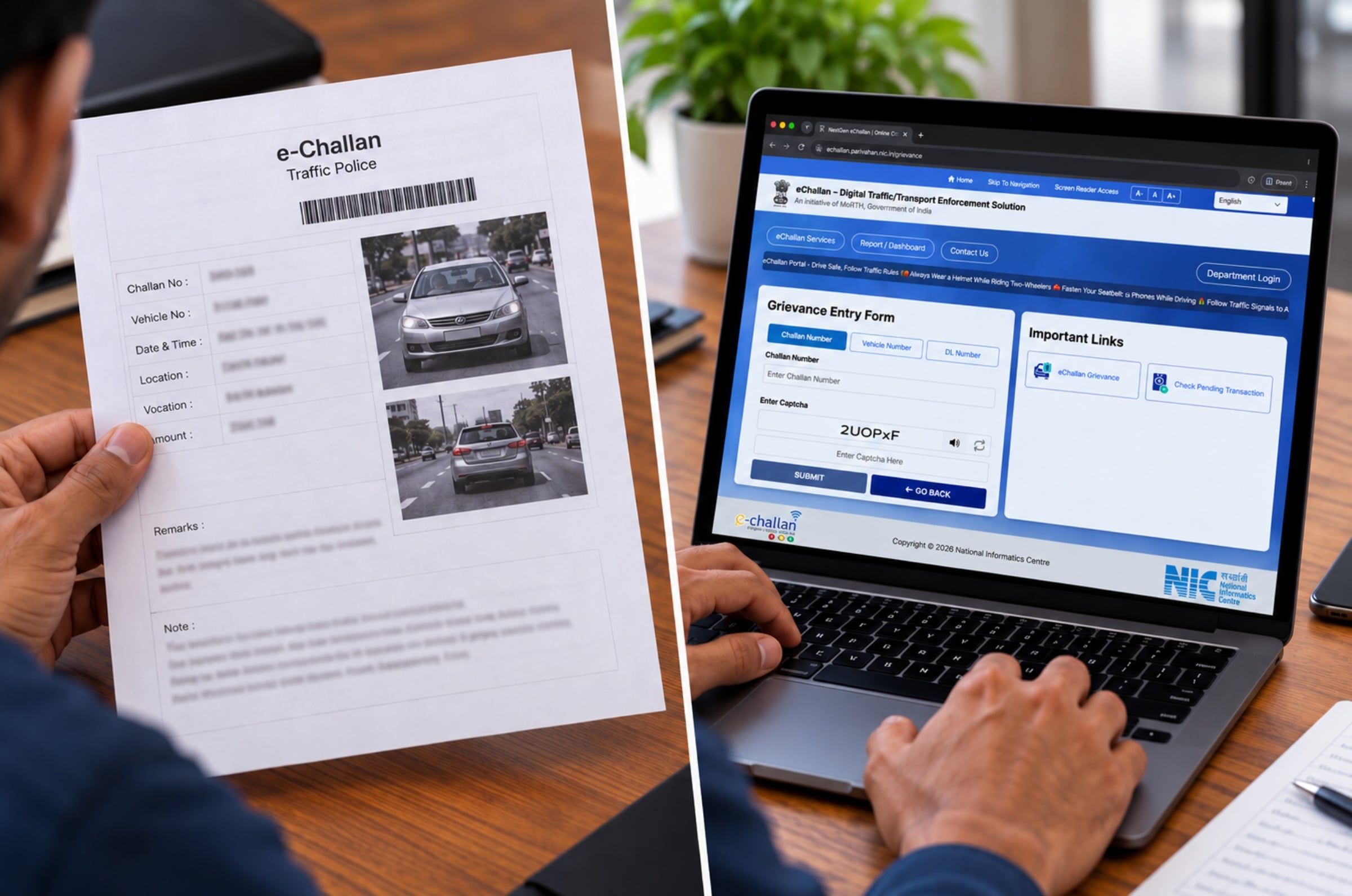
Receiving a traffic e-challan for a violation you did not commit can be frustrating. The error could involve an incorrect vehicle registration number, a mismatch between the vehicle and the recorded offence or a duplicate challan. Motorists who believe a challan has been issued incorrectly can raise a grievance through the government’s eChallan portal.
Before submitting a complaint, check the challan details and any evidence attached to the notice. Here is how to dispute an incorrect e-challan and what to do if your complaint is rejected.
How to check if an e-challan is incorrect
Visit the eChallan portal and check the details of the notice. Verify the vehicle registration number, date, time, location and alleged offence. If a photograph or other evidence is attached, check whether it shows your vehicle and the stated violation.
An incorrect registration number, a vehicle that does not match the image or a duplicate challan could be grounds to raise a grievance. Check the available details before proceeding.
How to file a complaint against an incorrect e-challan
Motorists can submit a grievance through the eChallan portal. The process is as follows:
- Visit the official eChallan portal and open the Grievance or Complaint section.
- Enter the requested challan details and complete any required verification.
- Select the issue that best describes the error, such as an incorrect vehicle number or violation.
- Explain why you believe the challan was wrongly issued and upload the requested supporting documents.
- Submit the complaint and save the acknowledgement or ticket number for reference.
The available options and verification requirements may vary. Follow the instructions displayed on the official website.
What evidence can you submit?
Your complaint should clearly explain the error and include evidence to support your claim. Depending on the circumstances, this could include:
- Vehicle registration certificate (RC): To establish the vehicle’s registered details.
- Photographs of the vehicle: To show differences between your vehicle and the one in the challan image.
- Dashcam footage or other video: If it helps establish where the vehicle was at the time of the alleged violation.
- FASTag records, parking receipts or service records: To support a claim that the vehicle was elsewhere.
If you suspect another vehicle is using a duplicate of your registration number, consider reporting the matter to the police as well as raising a grievance. Keep copies of the challan, supporting documents and complaint acknowledgement for future reference.
How to track your e-challan complaint
After submitting a grievance, you can check its status through the eChallan grievance system.
- Open the grievance system and select Ticket Status.
- Enter the e-ticket or complaint number requested by the portal, along with the displayed verification code.
- Select Check Status to view the latest update.
You can also contact the eChallan helpdesk at helpdesk-echallan@gov.in or call 0120-4925505. The supplied helpdesk information lists the phone service as available from 6am to midnight, with option 4 for e-Challan-related queries.
What if your e-challan complaint is rejected?
If your grievance is rejected, check the reason provided and the current status of the challan. Depending on the stage of the case, you may be able to seek further review from the relevant traffic authority.
If the challan has moved to the Virtual Courts system, visit the official Virtual Courts portal and search for the case using the available options. Eligible cases can be contested through the portal. The acknowledgement provides the assigned court and hearing date. Follow the instructions shown for your case.
What should you keep in mind when disputing an e-challan?
Do not ignore a challan simply because you believe it is incorrect. Check the notice promptly, submit relevant evidence and monitor the complaint status. Deadlines and procedures can depend on the authority and the stage of the case. Filing a grievance does not necessarily pause a payment deadline, so check the instructions on the official portal.
 Which variant of the 2026 Hyundai Bayon should you buy?
October 26, 2026
Which variant of the 2026 Hyundai Bayon should you buy?
October 26, 2026
 Hyundai Bayon image gallery
October 26, 2026
Hyundai Bayon image gallery
October 26, 2026
 Hyundai Bayon colours gallery
October 26, 2026
Hyundai Bayon colours gallery
October 26, 2026
 Alpinestars Tech-Air 7X review
October 26, 2026
Alpinestars Tech-Air 7X review
October 26, 2026
 KTM 200 Duke updated with quickshifter and ride modes
October 26, 2026
KTM 200 Duke updated with quickshifter and ride modes
October 26, 2026
 Hyundai Bayon vs Creta: Does the Creta justify its premium?
October 26, 2026
Hyundai Bayon vs Creta: Does the Creta justify its premium?
October 26, 2026
 கைது, விசாரணை, நீதிமன்றம்! கைதுக்கு பின் அன்பில் மகேஷ் கூறியது என்ன ?
October 26, 2026
Ralphie Albert to lead England Under-19 tour of Pakistan
October 26, 2026
கைது, விசாரணை, நீதிமன்றம்! கைதுக்கு பின் அன்பில் மகேஷ் கூறியது என்ன ?
October 26, 2026
Ralphie Albert to lead England Under-19 tour of Pakistan
October 26, 2026
 அமேசான் சேல்.. 50எம்பி கேமரா.. 6 ஓஎஸ் அப்டேட்.. ஆஃபரில் சாம்சங் 5ஜி போன்.. எந்த மாடல்?
October 26, 2026
அமேசான் சேல்.. 50எம்பி கேமரா.. 6 ஓஎஸ் அப்டேட்.. ஆஃபரில் சாம்சங் 5ஜி போன்.. எந்த மாடல்?
October 26, 2026
 "சந்தி சிரிக்கும் சட்ட ஒழுங்கு! திசைதிருப்பவே கைது!" – அன்பில் மகேஷ் கைதுக்கு ஸ்டாலின் கண்டனம் !
October 26, 2026
"சந்தி சிரிக்கும் சட்ட ஒழுங்கு! திசைதிருப்பவே கைது!" – அன்பில் மகேஷ் கைதுக்கு ஸ்டாலின் கண்டனம் !
October 26, 2026
 Cummins reveals Australia’s plan for Steve Smith ahead of South Africa decider
October 26, 2026
Gukesh looks beyond chess ahead of World Championship match
October 26, 2026
Cummins reveals Australia’s plan for Steve Smith ahead of South Africa decider
October 26, 2026
Gukesh looks beyond chess ahead of World Championship match
October 26, 2026